


Summary:
Google Shopping is becoming many customers’ first interaction with a product, making clean Merchant Center data more important than ever. Small issues like feed errors, missing attributes, inaccurate shipping information, and poor channel configuration can limit visibility and performance. Regularly auditing product data helps products appear more often, compete more effectively, and stay prepared for the future of AI-powered shopping.
Utilizing Google Merchant Center to get your products featured in Google search results is an incredibly powerful way to generate increased visibility. With the ability to show up in both organic and paid shopping results, there are a number of ways to target relevant customers. As many searches are now ending on the search results page and never result in a website visit, occupying as much real estate within search results as possible is key to getting your products in front of potential customers.
Search Results Have Become Category Pages
As Google search has evolved beyond basic links to web pages, an increasing emphasis has been placed on making search results more shoppable, by trying to recreate the e-commerce category page experience directly in search results.
This means that for many potential customers, their first interaction with a product will happen in search results, not after they click through to a website.
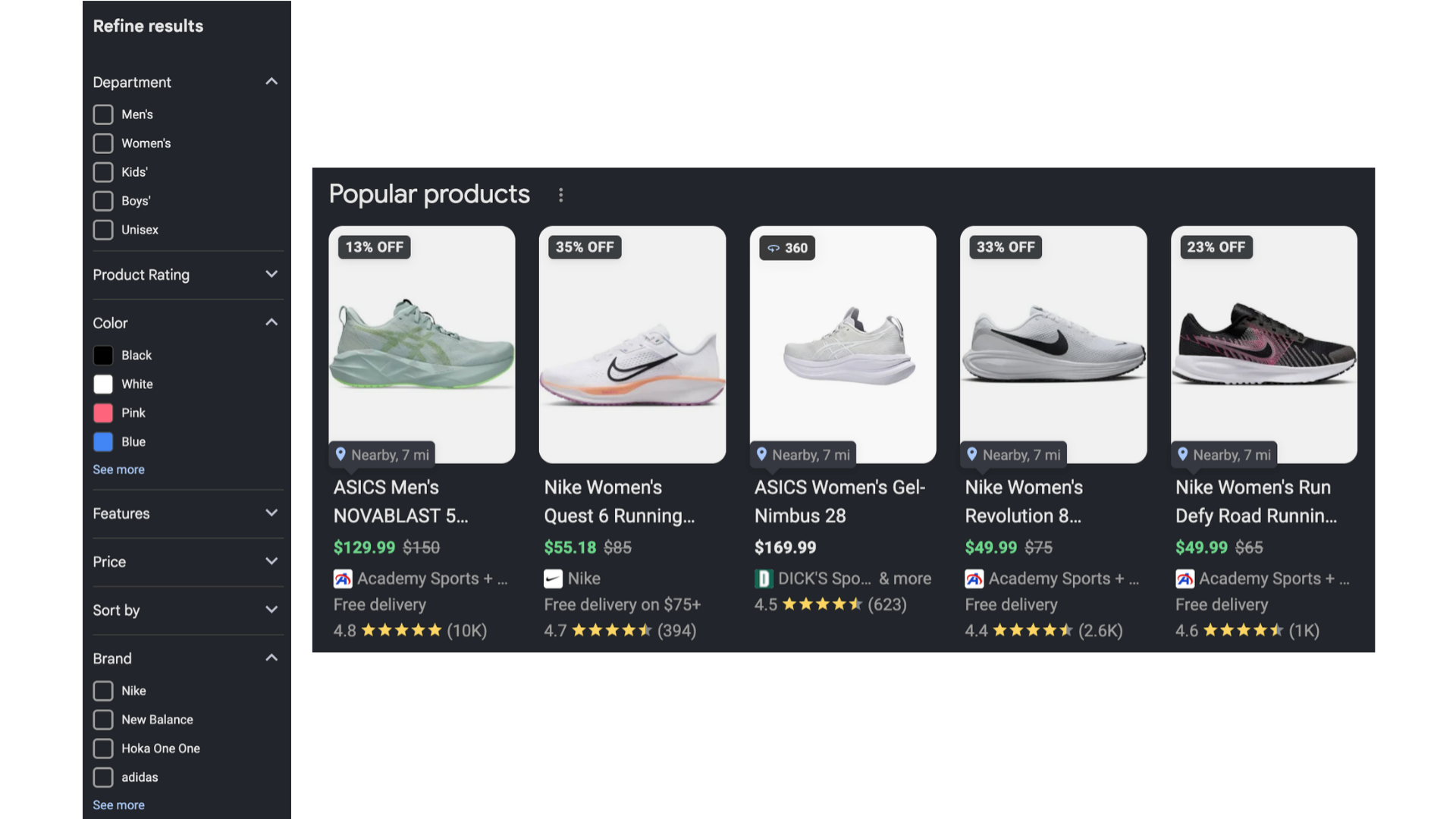
Making sure that your products show up front and center, with accurate data, when potential customers are researching purchases, is key to being considered and standing out from the competition.
While Merchant Center is a powerful platform, many online stores don’t take full advantage of it as a marketing channel. We’ve audited a number of Merchant Center accounts, and there are a few common issues that are easy to fix, but most brands aren’t aware of.
5 Key Areas to Review
This is not an exhaustive list, and managing Merchant Center is not a one-time project, but these are some of the most common opportunities that can help your products gain more visibility.
#1: Check current errors
Often, the lowest-hanging fruit is to resolve errors that Google is currently flagging with your products and data. This can give you a great baseline to determine what gaps there are in your product data, what issues there might be with your feed setup, and where you should direct your attention initially.
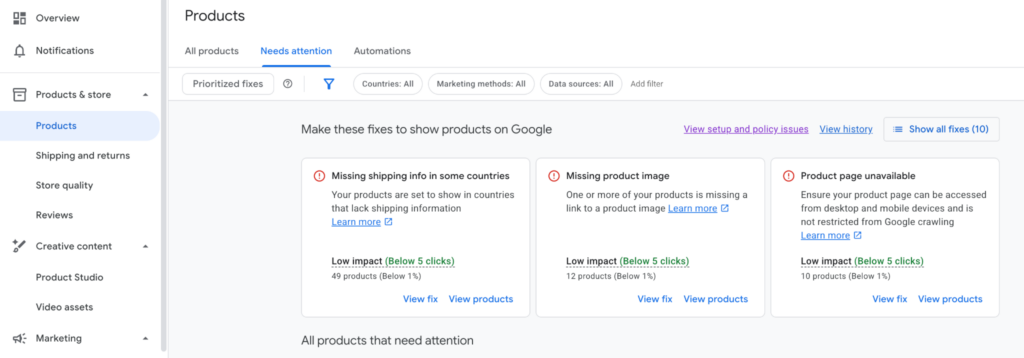
Common errors that are a high priority to resolve involve:
- Unavailable product pages: The links to your products that you are submitting do not point to live pages.
- Missing data: Your product data is missing attributes that are required for that product type or all product types.
- All products must include:
- At least one image
- Price
- Availability (In stock, out of stock, etc)
- Some types of products like apparel must also include:
- Size
- Color
- Gender
- Age group
Another key area to check is your overall store quality score. This is an aggregated score based on:
- Shipping experience
- Shipping speed & cost
- Return experience
- Return window length & cost
- Purchase experience
- Accepted payment methods & promotions rejection rate
- Browsing experience
- Image quality & quantity
- Page speed
- Store rating
- Customer ratings of your overall store experience
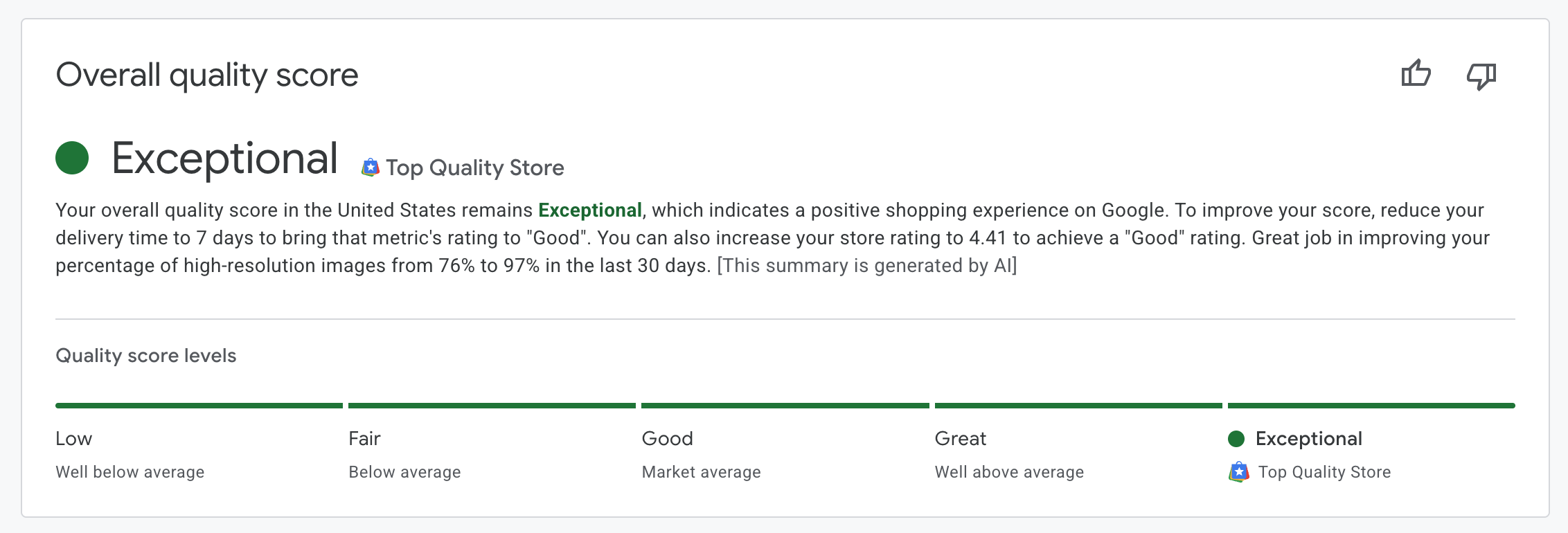
Your score can help highlight areas that need improvement, compared to other similar sites in your industry, and it’s a great indicator of the current health of an account.
#2: Review how your products are being added
Once you have a clear picture of the kinds of errors being flagged, the next step is to look at how your product data is getting to Merchant Center. There are several ways that this is generally handled, and each has unique benefits and trade offs, along with common issues.
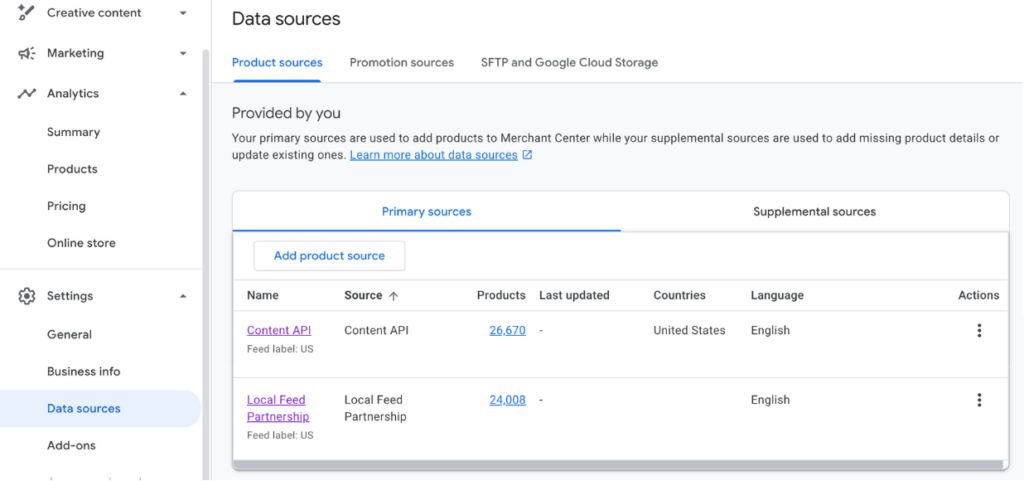
The best place to start is by looking at your data sources in Merchant Center. This will usually give you the clues you need as to how your product data is being managed.
The Google & YouTube App
One of the most common ways that Shopify sites connect with Merchant Center, is via Google’s Google & YouTube app. This app also handles Google Analytics connections and other integrations, so is a convenient way to also get started using Merchant Center. Feeds coming from the app will show up as “Content API” or “Merchant API”.
Things to look for:
- Product URLs will generally have UTM parameters appended to them, which does not align with Merchant Center guidelines. This can impact how traffic and revenue are attributed in analytics tools like GA4. URLs coming from the Google & YouTube app will need to be cleaned up within Merchant Center to remove these parameters.
- You only have a limited level of control over what product data is sent to Merchant Center, since the app automatically pulls information. Review these guidelines to make sure your product data is configured correctly in Shopify.
If you have a large, complex product catalog, ship internationally, or want a high level of control over the product data shared to Google, a 3rd party solution will often be a better fit.
3rd Party Apps
Most 3rd party product feed apps offer fairly similar functionality compared to each other, and allow a higher level of control over product data.
Things to look for:
- Make sure that product data is being pulled into the app correctly. 3rd party apps require more careful fine-tuning of where they pull product data from. They offer increased flexibility but can often require more configuration. Simply using the out-of-the-box default settings often won’t yield great results.
- Check whether all your active products are included in the feed. Since most 3rd party apps offer more control over which products are added to your feed, it’s easy for some to get excluded unintentionally.
Manual processes
In some cases, if you have a smaller product catalog and your products don’t have many variants, a simple spreadsheet feed can be an easy way to upload products to Merchant Center. If you only have a handful of products, you can even add them directly to Merchant Center as individual products, but this method has limitations and is difficult to scale.
Things to look for:
- The biggest challenge with manual feeds and manually added products is that they often contain outdated information. As products come and go, options change, and pricing and availability fluctuate, if these changes aren’t quickly and regularly updated in the feed, then Google will start to flag inconsistencies.
- Manually adding products also makes it easy to mix up identifiers and other product attributes. Double-check that your identifiers are correct and match the other data you are submitting for each product.
Found by Google
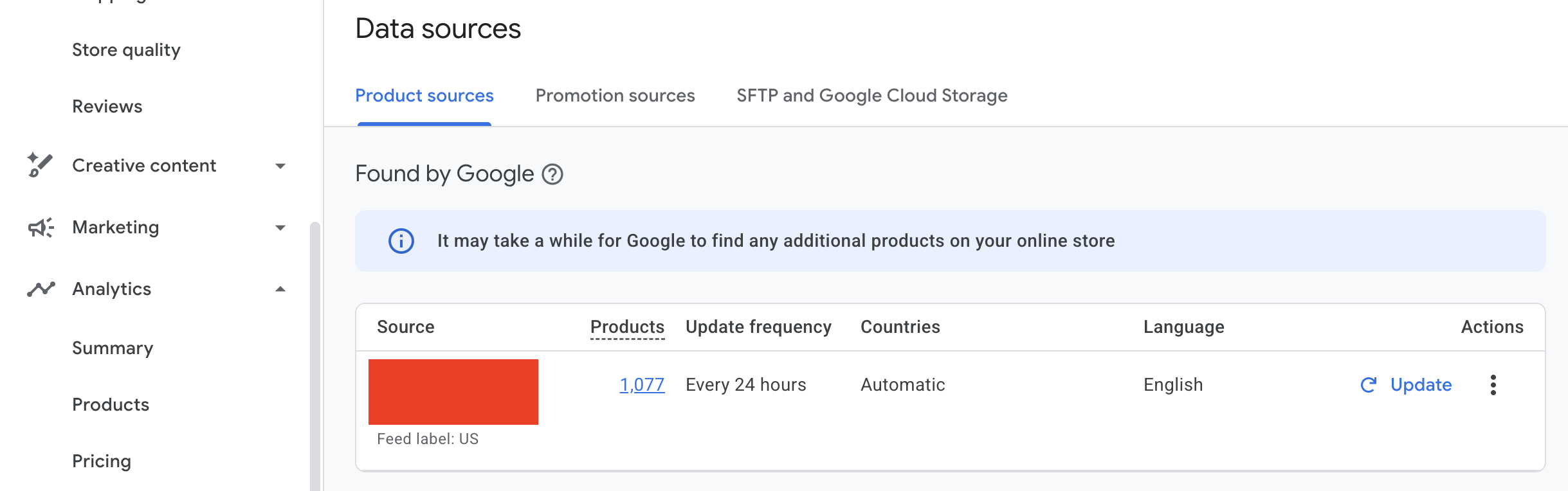
Google can discover products on your website on its own, based on how your settings are configured. This can help uncover products that are not included in your feeds, but it often results in inaccurate or duplicate products. It’s generally best to turn this setting off to avoid issues. In many cases, products found by Google tend to be the main culprits behind errors in your account.
Things to look for:
- Make sure that products found by Google are not already included in your feed. If they are not, it’s best to add them to ensure that you control the data Google has on them.
#3 - Look for missing/unoptimized product data
Google uses the product data you supply to match your products to relevant searches and ensure customers have the information they need to determine if your product is what they are looking for.
Product titles
Do titles contain relevant keywords? Make sure to provide as much detail in a product title as possible.
Example
Bad: T-Shirt
Okay: Men’s T-Shirt
Good: Men’s Lightweight T-Shirt
Great: Men’s Lightweight, Quick Drying Athletic T-Shirt
Are titles unique between different variants? Options like size, color, material, etc, should be highlighted in variant titles to distinguish between them
Example:
Men’s Lightweight, Quick Drying Athletic T-Shirt | Dark Blue | Small
Product identifiers
Are you providing MPNs (SKU) or GTINs (barcode numbers) for all products? Identifiers are a key way that Google connects products sold by multiple stores. Make sure that you are providing correct identifiers for all products.
Are all variants of a product using the same item group ID? Products with variants like color and size should all have the same item group ID to signal their relationship to each other.
Product attributes
Are you providing as many attributes as possible for all applicable products? Google uses product attributes to match products to customer searches, understand the relationship between variants, and accurately filter products in search results using color selectors. Key attributes include:
- Brand
- Color
- Size
- Material
Many product types require some attributes to be populated to be fully eligible for all types of search results.
#4 - Check that shipping settings are accurate
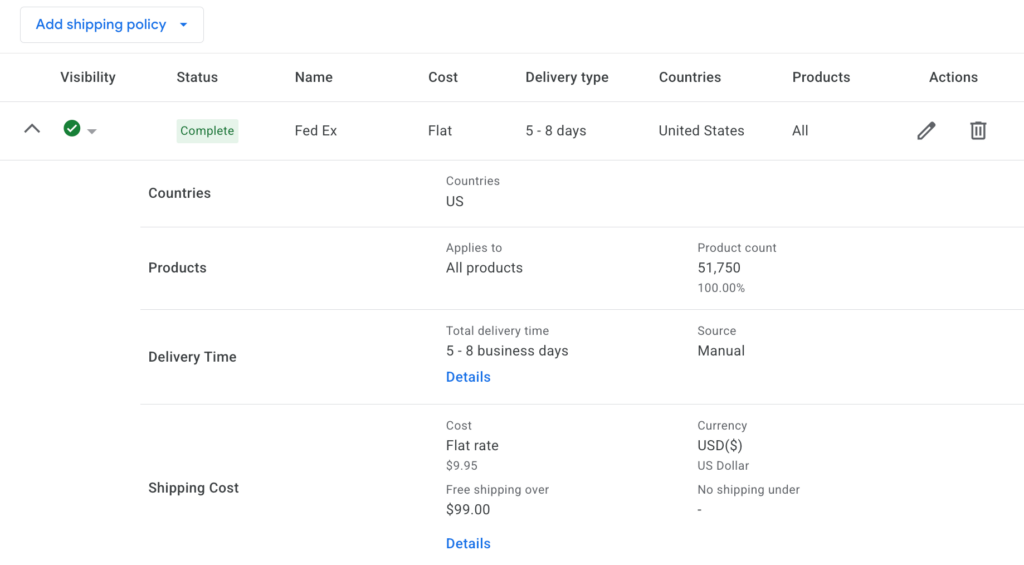
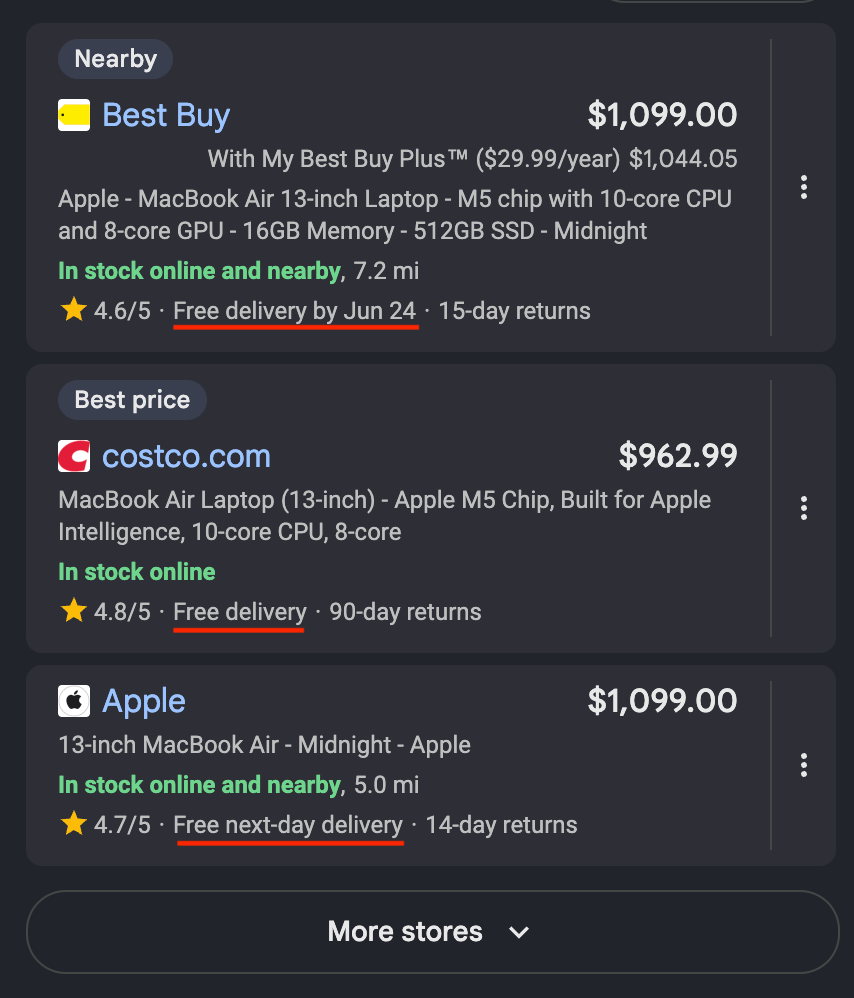
Providing accurate shipping information is key to making sure that customers have an accurate estimate for when a product might arrive. Highlighting free shipping offers and expedited shipping can also help products stand out from competitors in search results. Make sure that your average shipping and handling speeds and costs are correctly represented.
In many cases, if all offers for a product are the same price, Google will prioritize offers with the best shipping options and return windows.
#5 - Review how each marketing channel is configured
Since Merchant Center data also powers Google’s shopping ads, it’s important to verify that products you want appearing in ads and vice versa are being sent to the correct channels.
Excluding low-priority products or products with poor margins from paid ads, is a great way to minimize wasteful spend, and you can set them to still be eligible for organic results for free.
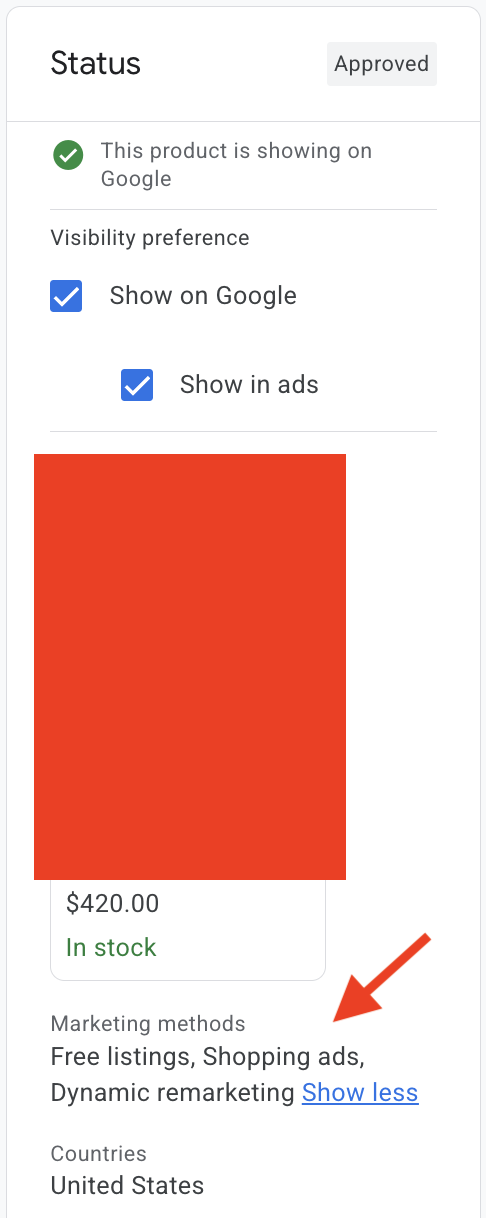
Make sure that your feed level and product level marketing channel settings are set up to accurately reflect where you want your products to show up. A common issue is that low-value products are set as eligible for paid ads or high-value products are excluded from paid ads. Both can hurt paid performance.
If you have a physical storefront, supplying inventory data for that location can also be a great way to be eligible for local results and a “Nearby” badge that can help prioritize your products for people nearby.
The Role of Clean Product Data Feeds in the Future of Agentic Shopping
With many AI companies looking to develop agentic shopping capabilities, one important factor in that shift in shopping behavior is the role that product data will play. Agents need clean, accurate product data to identify the products that their users are looking for, and structured data feeds will be a key piece of that puzzle.
Google recently announced its Universal Commerce Protocol to help standardize connecting AI agents to product data. One of the key sources that this protocol will pull data from is Merchant Center, making optimizing your product data a priority to stay on the cutting edge of shopping.
Need help resolving issues in Merchant Center and ensuring your products are putting their best foot forward? Let’s talk!